 Topit
Dating
Best Bumble Photos: What to Lead With and What to Leave Out
Bumble has published fairly specific advice on photos, and most of it lines up with the research. Here it is in one place, with what it means for the photos you choose.
The short answer
Lead with a clear, recent, high-quality photo that shows your whole face, no sunglasses. Fill all six photo slots with a mix of solo shots, candids and one or two photos with other people, placed lower down. Skip anything with someone cropped out. Then put three lead-worthy photos in your first three slots and turn on Best Photo, which tests those three and moves the winner to the front.1
Bumble's advice and the research point the same way: show your face first and save the story for later.
photos are what Best Photo tests: your first three, to see which gets the most right swipes.
Bumble1The first photo
Bumble's advice is to start with a photo that is clear, recent, high quality and shows your whole face without sunglasses, and to save the boat-party and artsy shots for later.1 Two practical additions. Light matters more than the camera: daylight from the side or a window in front of you. And avoid the arm's-length selfie for this slot, since at about 12 inches a phone makes the nose look around 30% larger than from five feet.4
Six slots, six different photos
Bumble suggests filling all six with a combination of selfies, candids and group photos, plus photos that show a slice of your life, like a race you ran or a drink you love.1 A layout that does that:
| Slot | What it shows |
|---|---|
| 1 to 3 | Three different lead candidates: clear face, recent, solo, different settings |
| 4 | A slice of your life: the hobby or the thing you would talk about |
| 5 | You with friends, or with your pet, where you are easy to find |
| 6 | A candid with some personality |
How Best Photo changes your first three slots
Best Photo looks at which of your first three photos gets the most right swipes and puts that one first.1 The useful consequence is that your first three slots are not lead, second and third. They are three candidates for lead, and each should be a photo you would be happy to see at the front. Putting a group photo or a landscape in slot two or three just means Best Photo has fewer real options.
Other people, pets and exes
- Friends: one or two photos with other people, lower down, and get their consent first.1
- Pets: Bumble says go ahead, as long as you are in the photo too.1
- Exes: Bumble calls out photos where an ex is cropped out or covered with an emoji as off-putting. Replace them with a solo photo of you doing something you love.1
Photo Verification
Bumble's Photo Verification lets you verify your own profile photos, which shows other members that you look like the photos you uploaded.1 It is another reason the recent-photo rule matters: a verified badge on a profile of five-year-old photos helps nobody.
Look at the set as a whole
Bumble's last tip is to consider how your photos look together, and to let them say what you are looking for: nights out for something casual, more of your everyday life if you want something serious.1 This is also where people struggle most, because each photo gets judged on how you feel about it. People recognise their own face as more attractive than it is3, and strangers chose better profile photos of people than those people chose of themselves.2 Lay all six out at once and ask someone who does not know you well what the set says.
Frequently asked questions
How many photos can you have on Bumble?
Bumble's photo guide describes six photo slots and recommends using all of them.1
Does Bumble choose my first photo for me?
If you turn on Best Photo, it tests your first three photos and moves the one with the most right swipes to the front.1
Can my first Bumble photo be a group photo?
No. Bumble's advice is to keep photos with other people lower down, so people see you first.1
Is the advice different from Tinder or Hinge?
Barely. Compare our Tinder and Hinge guides: clear face first, variety after, one group photo.
How Topit does it
Choosing Bumble photos with Topit
Topit is a photo selector app. Upload a batch of photos, pick where they are going (a dating app, Instagram or LinkedIn), and Topit ranks the whole set for that destination, learns your taste as you compare, and explains every pick. Free to try on iPhone, Android and the web.
The problem
Bumble's Best Photo can only choose among the three photos you put first. Picking those three, out of hundreds, is still on you, and you are a biased judge of your own face.
How Topit solves it
Upload a batch, choose dating, and Topit ranks the whole set, putting the person and their expression first. It collapses near-duplicates so your top three are three different photos, and every pick comes with a reason. For a second opinion, send the shortlist to friends and see who picked what.
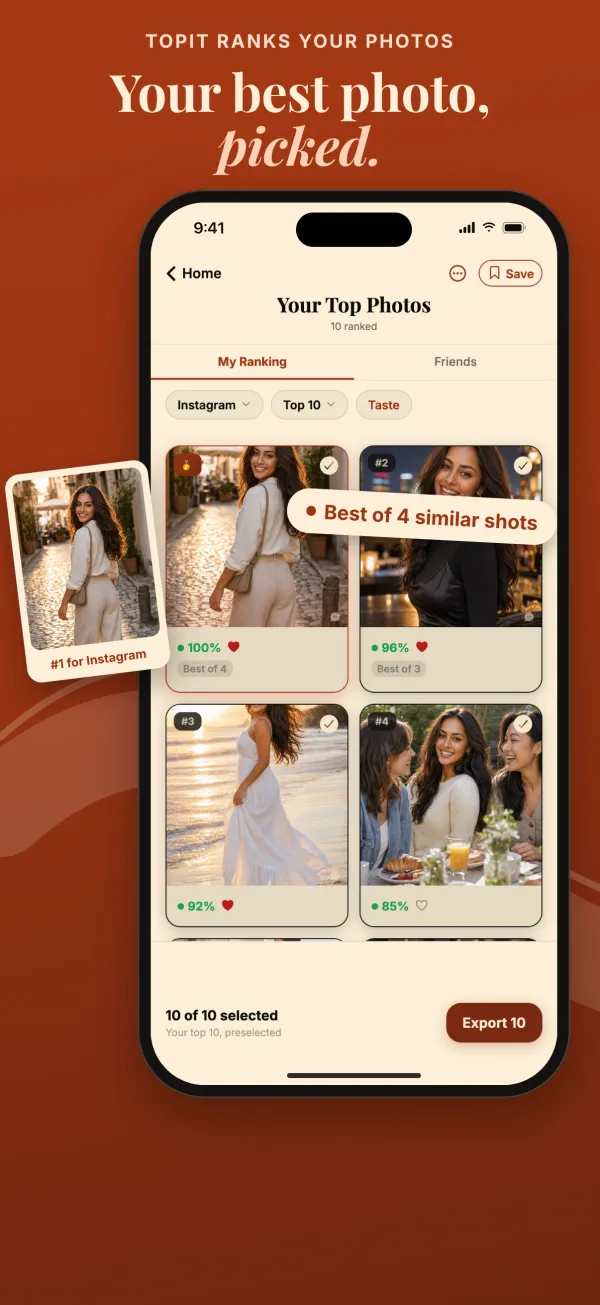
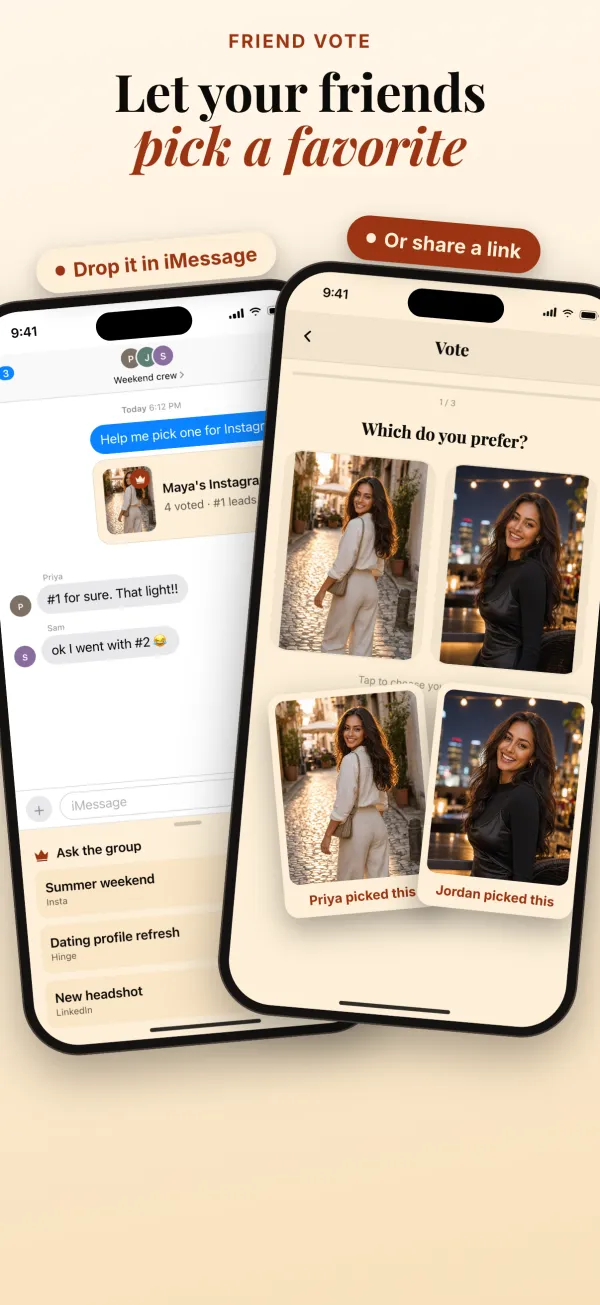
- Ranks the whole set. Upload a batch from your camera roll and get it back in order, with burst shots and near-duplicates collapsed to the strongest one.
- Ranks for the destination. The same photos come back in a different order for each place: dating puts the person and their expression first, LinkedIn a clear face, Instagram composition.
- Learns your taste. A few quick this-or-that comparisons build a profile of what you like, and the ranking leans toward it.
- Explains every pick. Each top photo comes with a reason. Disagree, tell it what you want (more candid, less posed), and it reranks.
- Lets friends vote. Send a shortlist by link. Friends vote without an account, can choose to stay anonymous, and you see who picked what.
Free to try, no credit card. Paid plans, Pro ($4.99/month) and Creator ($14.99/month), are sold in the iPhone app and raise the limits on photos and projects. Only the photos you choose are uploaded, they are kept until you delete the project or your account, and Topit does not sell personal information. Details in the privacy policy.
Sources
- Bumble, The Buzz, "10 Ways to Make the Most of Your Photos on Bumble", checked October 28, 2026. bumble.com/the-buzz/bumble-photo-tips
- White, Sutherland and Burton (2017), "Choosing face: the curse of self in profile image selection", Cognitive Research: Principles and Implications 2:23. A 2021 correction left the self versus other result standing. pmc.ncbi.nlm.nih.gov/articles/PMC5391387
- Epley and Whitchurch (2008), "Mirror, mirror on the wall: enhancement in self-recognition", Personality and Social Psychology Bulletin 34(9). pubmed.ncbi.nlm.nih.gov/18550861
- Ward et al. (2018), "Nasal distortion in short-distance photographs: the selfie effect", JAMA Facial Plastic Surgery 20(4). pmc.ncbi.nlm.nih.gov/articles/PMC5876805