 Topit
Professional
Choosing a Profile Photo for a Resume, Portfolio or Bio
A resume, a portfolio, a speaker bio and a team page all ask for a photo of you, and they do not all want the same thing. Here is when to use one, how to choose it, and how to make one photo work everywhere.
The short answer
On a resume, conventions vary by country: check local norms and the job ad before adding a photo. Everywhere else your photo appears, a portfolio, a personal site, a speaker bio, choose one recent, solo, well-lit photo where your face fills most of the frame, keep a high-resolution original, and use it everywhere.
One good photo used everywhere beats three good photos used inconsistently. The point of a professional photo is that people recognise you, and recognition comes from seeing the same face in the same frame more than once.
Should a resume have a photo?
It depends on where you are applying. Conventions vary by country: in some places a photo on a CV is expected, and in others it is usually left off. Check local norms and the job ad.
Two rules beat any general advice. If the job ad or the application form says not to include a photo, do not. And if you are unsure, leave it off the resume and make sure the photo on your LinkedIn profile and portfolio is doing the work, because that is where a recruiter will look you up anyway.
Where you do need one
- Portfolio and personal site. The about page is where a client decides whether they want to work with a person, not just the work.
- Speaker and author bios. Organisers will crop your photo to whatever their template needs, often without asking.
- Team pages and company directories. Usually a fixed square or circle crop.
- Freelance and marketplace profiles. Often shown as a small avatar next to your rate.
What the photo needs
The basics are the same ones LinkedIn gives for profile photos: recent, solo, your face filling about 60% of the frame, taken by someone else, in soft natural light, against a background that does not compete with you.1 People form an impression of a face in about a tenth of a second2, so a clear face matters more than anything else in the frame.
For bios and portfolios, add one requirement: it has to survive several crops. Shoot or choose a head-and-shoulders photo with some space around you, so it can be cut to a circle, a square, a 4:5 portrait and, sometimes, a wide banner without losing the top of your head.
Match the photo to your field
A starting point, not a rule:
| Field | What tends to read right |
|---|---|
| Finance, law, consulting | Plain background, what you wear to work, neutral or warm expression |
| Design, photography, creative | A setting that hints at the work, face still clear |
| Academia and research | Simple and current; often a lab, library or plain wall |
| Trades and services | You at work, in context, face visible |
| Speaking and media | High resolution, plain background, easy to crop |
LinkedIn's own advice on clothes applies here too: wear what you would wear to work.1
Keep the right files
Keep the full-resolution original, not the version you downloaded from a social profile. LinkedIn accepts profile photos up to 7680 by 4320 pixels1, and print programmes need far more than a 400-pixel avatar. Keep a square crop ready too, since that is what most forms ask for.
Choosing between finalists
Look at your finalists at the size they will actually appear, usually small. And ask someone else: in research on profile photos, strangers chose better photos of people than those people chose of themselves.3 Our LinkedIn headshot picker guide walks through a step-by-step method that works for any professional photo.
Frequently asked questions
Should I put a photo on my resume?
It depends on the country and the employer. Conventions vary, so check local norms and the job ad; if in doubt, leave it off and let your LinkedIn photo do the work.
Can I use my LinkedIn photo on my portfolio?
Yes, and it is usually the best choice: the same face in the same frame helps people recognise you across both.
Does a portfolio need a professional headshot?
No. It needs a recent, sharp, well-lit photo where your face is clear. A phone and a window can get you there.1
How Topit does it
Choosing a professional photo with Topit
Topit is a photo selector app. Upload a batch of photos, pick where they are going (a dating app, Instagram or LinkedIn), and Topit ranks the whole set for that destination, learns your taste as you compare, and explains every pick. Free to try on iPhone, Android and the web.
The problem
You need one photo that works everywhere, from a tiny avatar to a printed programme, and you are a biased judge of your own face.
How Topit solves it
Upload a batch and choose LinkedIn, Topit's destination for work photos. Topit ranks the set with a clear face first, collapses near-identical shots, and explains every pick. Then send your top two or three to colleagues as a shortlist and see who picked what.
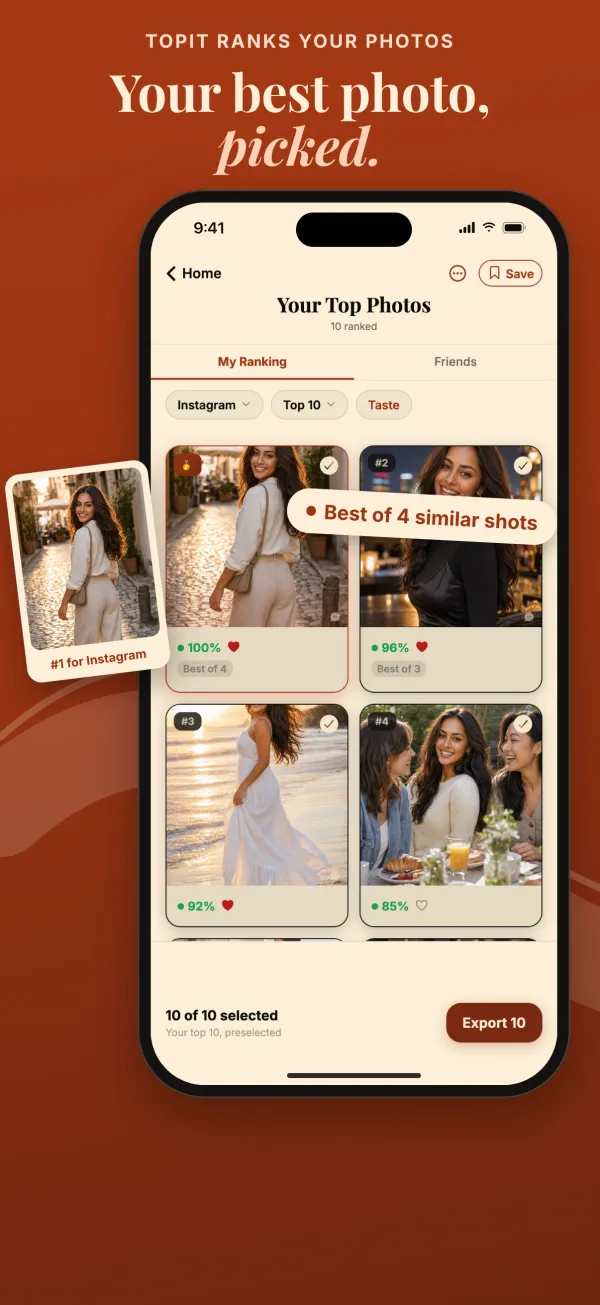
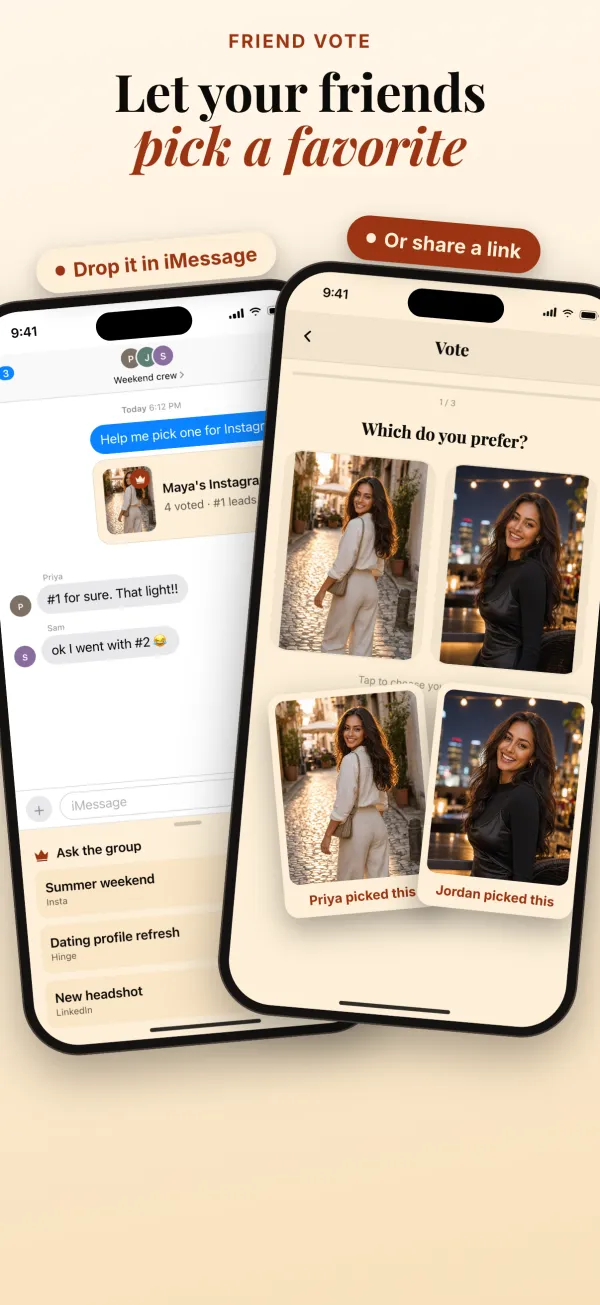
- Ranks the whole set. Upload a batch from your camera roll and get it back in order, with burst shots and near-duplicates collapsed to the strongest one.
- Ranks for the destination. The same photos come back in a different order for each place: dating puts the person and their expression first, LinkedIn a clear face, Instagram composition.
- Learns your taste. A few quick this-or-that comparisons build a profile of what you like, and the ranking leans toward it.
- Explains every pick. Each top photo comes with a reason. Disagree, tell it what you want (more candid, less posed), and it reranks.
- Lets friends vote. Send a shortlist by link. Friends vote without an account, can choose to stay anonymous, and you see who picked what.
Free to try, no credit card. Paid plans, Pro ($4.99/month) and Creator ($14.99/month), are sold in the iPhone app and raise the limits on photos and projects. Only the photos you choose are uploaded, they are kept until you delete the project or your account, and Topit does not sell personal information. Details in the privacy policy.
Sources
- LinkedIn Talent Solutions blog (2024), "10 tips for taking a professional LinkedIn profile photo". www.linkedin.com/business/talent/blog/product-tips/tips-for-taking-professional-linkedin-profile-pictures
- Willis and Todorov (2006), "First impressions: making up your mind after a 100-ms exposure to a face", Psychological Science 17(7). pubmed.ncbi.nlm.nih.gov/16866745
- White, Sutherland and Burton (2017), "Choosing face: the curse of self in profile image selection", Cognitive Research: Principles and Implications 2:23. A 2021 correction left the self versus other result standing. pmc.ncbi.nlm.nih.gov/articles/PMC5391387